Product Update • v2.23
Product Update • v2.23
The Hidden Cost of Your Portal: Why Your Firm Is Providing Free Tech Support
If your clients bypass your technology to go back to email, you are managing an unbillable tech support department. Here is how v2.23 puts efficiency back at the core of your practice.
1. Signature Requests: Complete Automation
Electronic signatures become an intelligent and autonomous process:
- Messages and Signatures: Attach an e-signature request directly to a message.
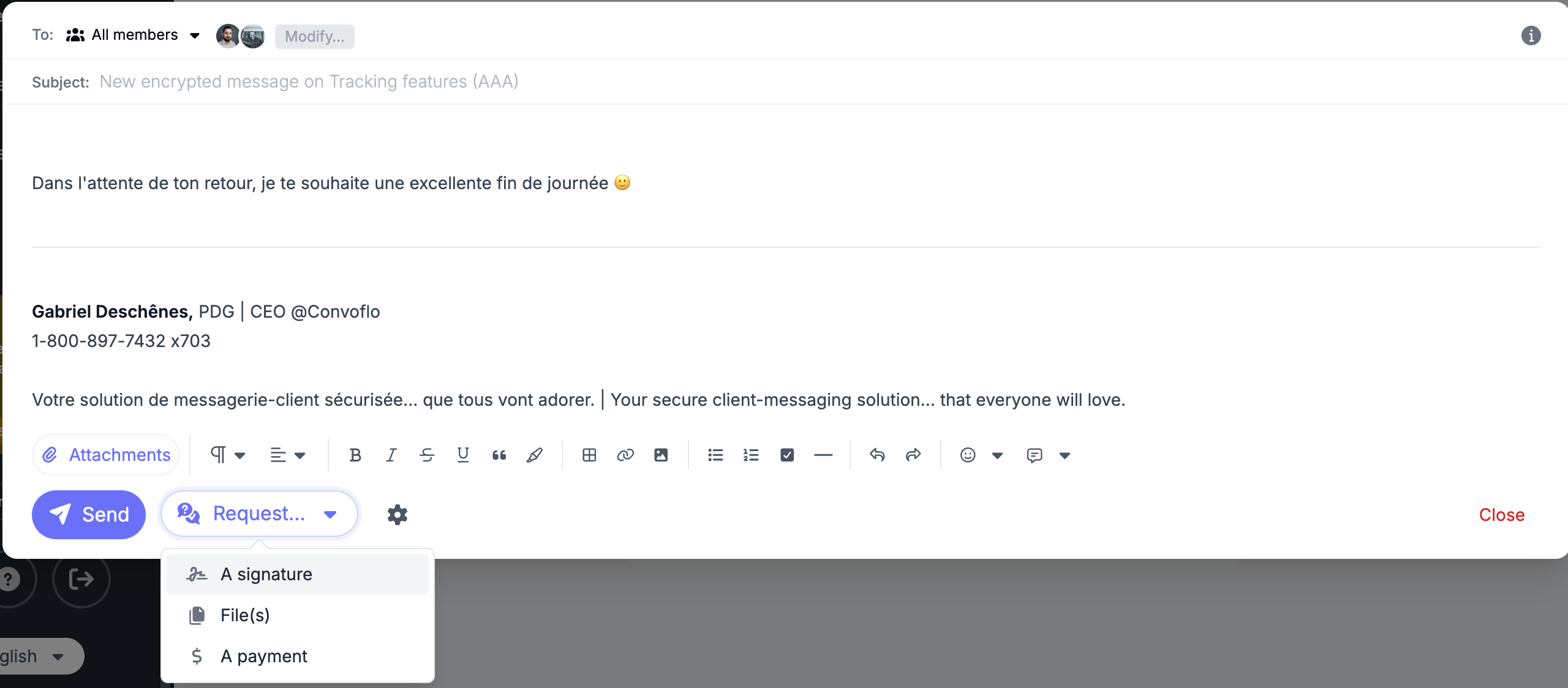
Signature integrated into the message text.
- Deadlines and Reminders: Set a due date and configure automated, custom reminders.
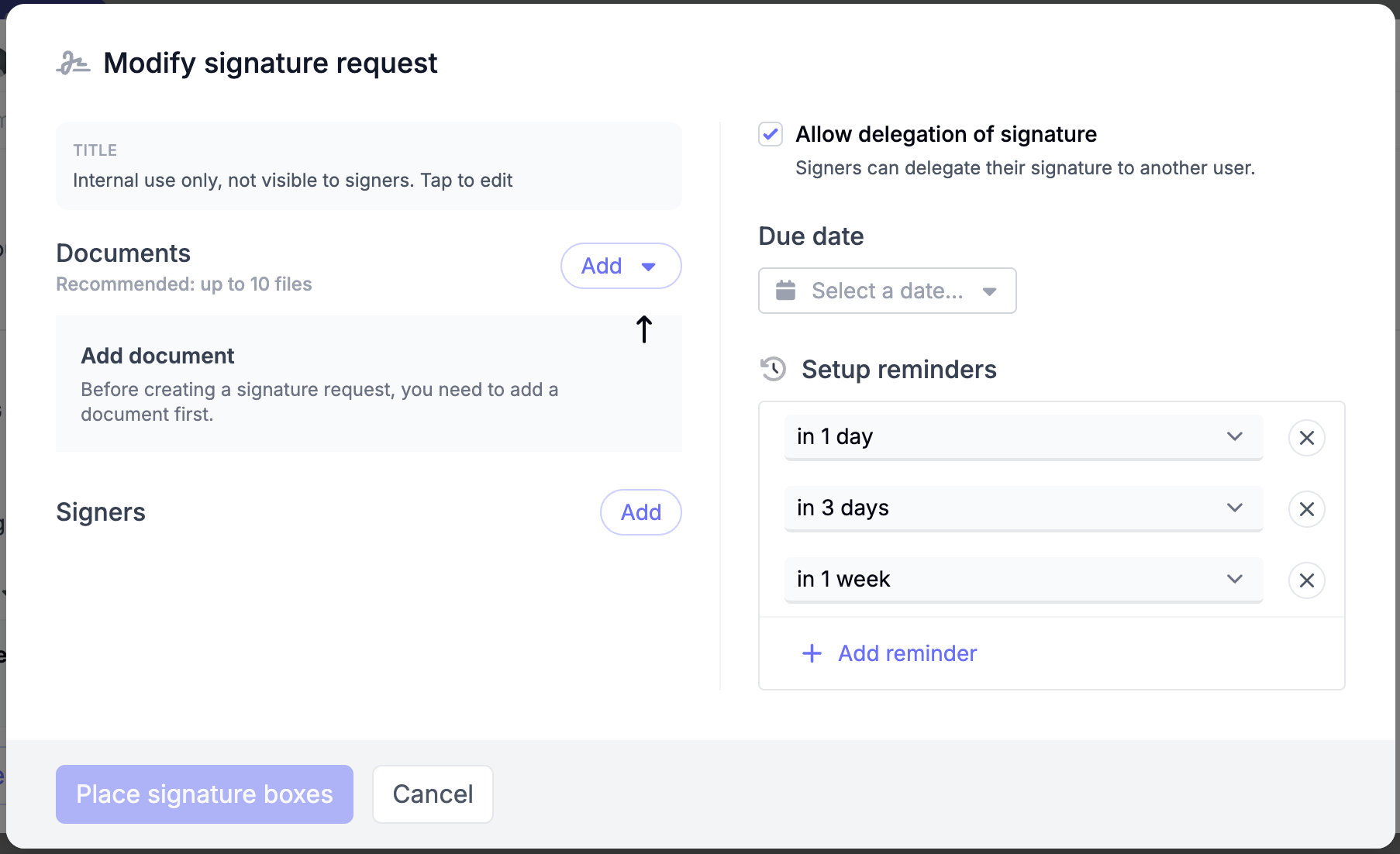
Signature Requests: End-to-end automation settings.
- Fluid Creation Flow: Dropdown menu to add files (from device, secure space, or templates) with full drag-and-drop support.
- Dedicated Dashboard: Visual tracking, search by title, and filtering by tags to ensure nothing slips through the cracks.
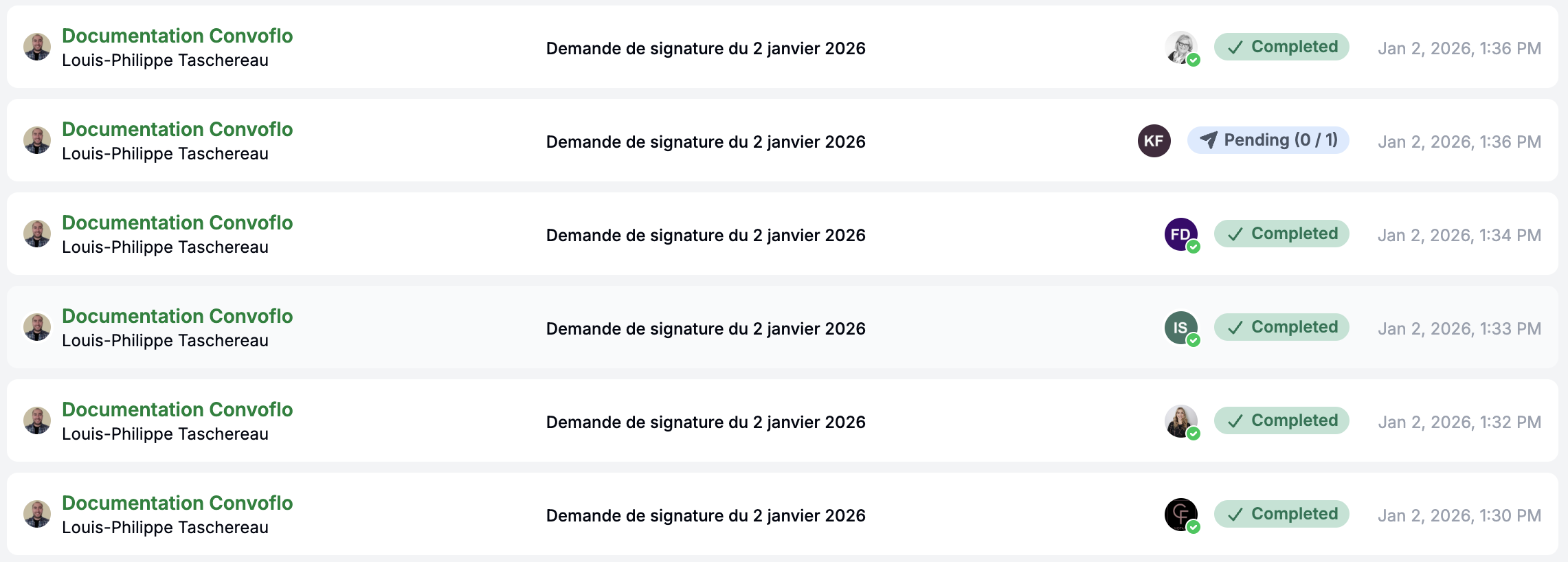
Dedicated dashboard for signature tracking.
- Sidebar Integration: Preview and download your signature files directly from the sidebar.
2. Operational Mastery: Files, Payments, and Notifications
We have added the necessary flexibility to handle your firm's day-to-day realities:
- Manual Management: Manually mark a file request as "completed" or a payment as "paid" to close edge cases and exceptions.
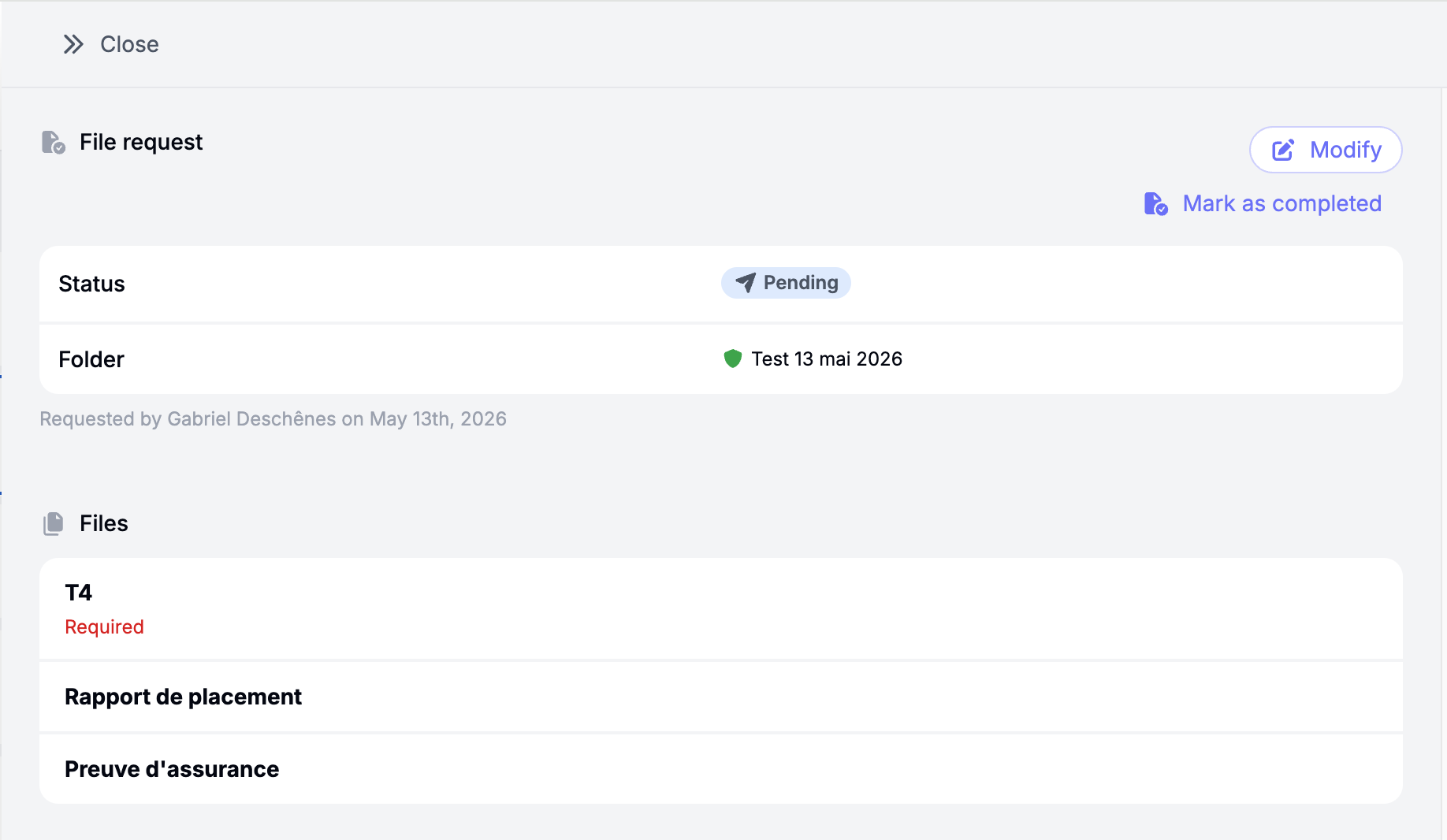
Manual override and status governance for file requests.
- Real-Time Notifications: Subscribe to receive instant alerts on your device as soon as an action occurs.

Real-time notification preferences center.
- Configurable Privacy: Organizations can now adjust the level of sensitive details visible within email notifications.
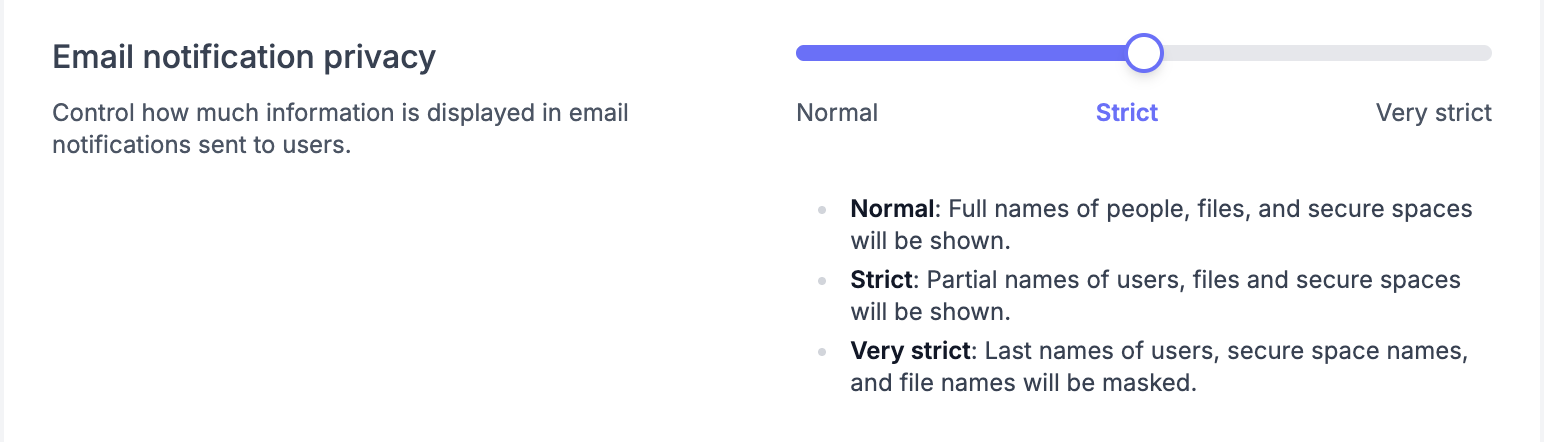
Advanced privacy controls for automated email notifications.
- Sorting and Visibility: Filter by tags across all dashboards, and benefit from a clear "Reminder" label in your Inbox to easily identify priority follow-ups.
3. Outlook Synchronization and Compliance
For Outlook users, inbox synchronization is now more precise: when filing a message, only members in the "To" and "CC" fields are included in the workspace audience, preventing unnecessary noise.
Technology Should Work for You, Not the Other Way Around
With v2.23, Convoflo is no longer just a secure portal—it is your complete client communication infrastructure.
Discover All New Features
Comments