
What’s new in Convoflo - v2.22 : File Requests 2.0, Contacts 2.0 and key improvements
What’s new in Convoflo - v2.22 : File Requests 2.0, Contacts 2.0 and key improvements
|
This update focuses on a concrete and common challenge: accelerating document collection, reducing follow-ups and maintaining clear visibility — within a secure and compliant client-messaging environment. |
In most organizations, collecting documents is a friction point: lists sent by email, attachments with unclear names, incomplete files, manual follow-ups… and cases that move forward more slowly than they should.
With Convoflo v2.22, we are evolving one of the platform’s core capabilities: File Requests v2. The goal: transform a “general” request into a structured, traceable and simple process — for both you and your clients.
File Requests 2.0 : from manual follow-ups to a clear workflow
In many professional service organizations, a significant portion of a case’s processing delay comes from the time required to gather all required documents from the client.
According to several studies on accounting firms, 69% of professionals say they spend too much time collecting documents from clients, and many spend 9 to 12 hours per week on these administrative tasks.
By structuring this step from the start, File Requests 2.0 help reduce follow-ups, accelerate document collection and begin processing client cases faster.
|
Video (2 min): File Requests 2.0 in action
See how to structure a request, activate reminders and validate received documents — all within the secure workspace. 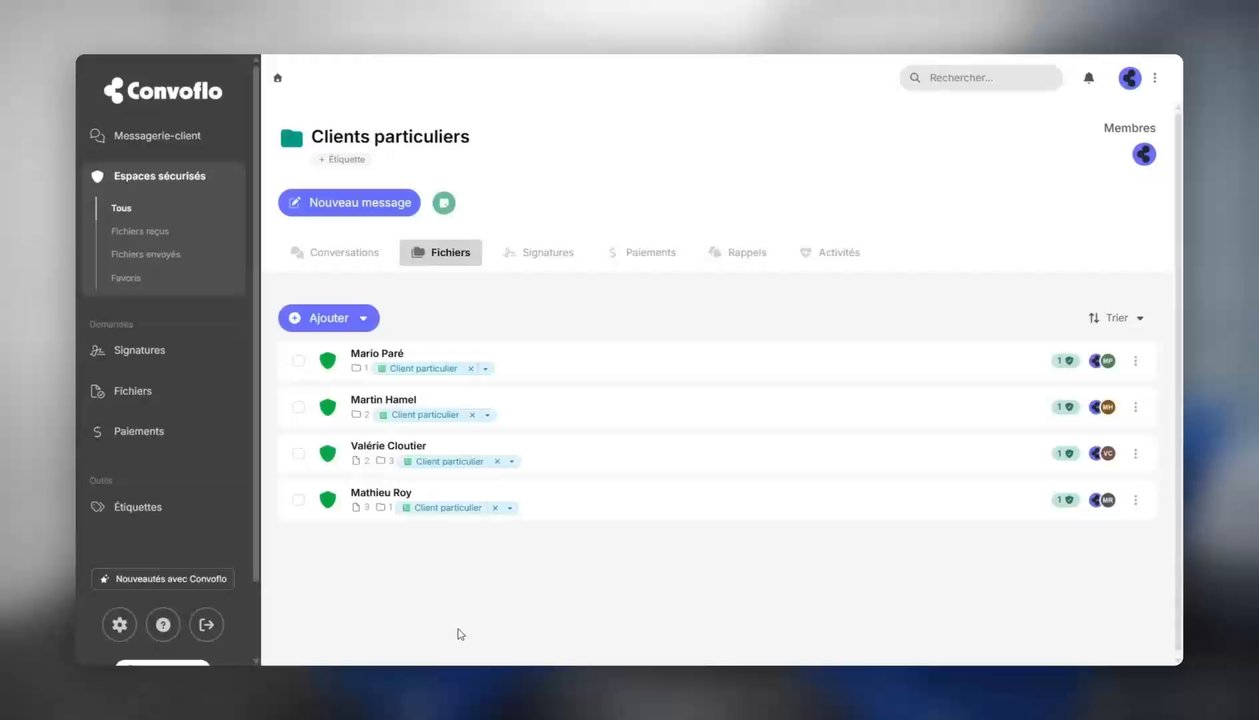
Watch the video
(opens in a new tab)
|
1) Define the exact documents required
You can now precisely define the documents expected and indicate whether they are required or optional. Clients immediately see what to provide, in what order, and what is still missing to complete the case.
2) Due dates + automated reminders to drastically reduce follow-ups
Add a due date and enable reminders to keep the case moving without repetitive follow-ups. Fewer “small follow-ups”: your team can focus more on what truly matters.
3) Templates to standardize document collection
Create request templates to reuse document lists (by service, client type or engagement). Result: consistency, speed and fewer oversights — even when multiple team members manage cases.
4) Approve / reject received documents (with reason)
Once documents are submitted, the requester can approve or reject a document with a reason. This avoids back-and-forth emails and clarifies immediately what needs to be corrected.
5) Dashboard with filters (similar to payment requests)
A dedicated dashboard provides an overview and filters by status, creator and dates. Ideal for monitoring cases, distributing follow-ups and maintaining clear visibility on progress.
Contacts 2.0 : a “People First” foundation for automation
Convoflo now integrates CRM-like capabilities to centralize client management and prepare the platform for future automation. A key concept: the system separates the display name (professional view) from the technical user account (database), eliminating entry errors and inconsistencies.
What you can do today
- Create enriched contact profiles (name, email, phone, title, client number, internal notes).
- Manage private lists (per user).
- Import via CSV and synchronize using connectors (Outlook and Google Contacts).
- Benefit from smart pre-fill when creating a Secure Space or a signature request (including phone number for 2FA).
Contacts now appear first in search results and certain filters (messages/files), and a Quick View feature allows details to appear when hovering over a name.
Ready to try Convoflo in your organization?
Start a free trial and discover how to structure your requests, centralize your communications and accelerate your cases — without friction.
| Start my free trial |
Comments